
April 9, 2026
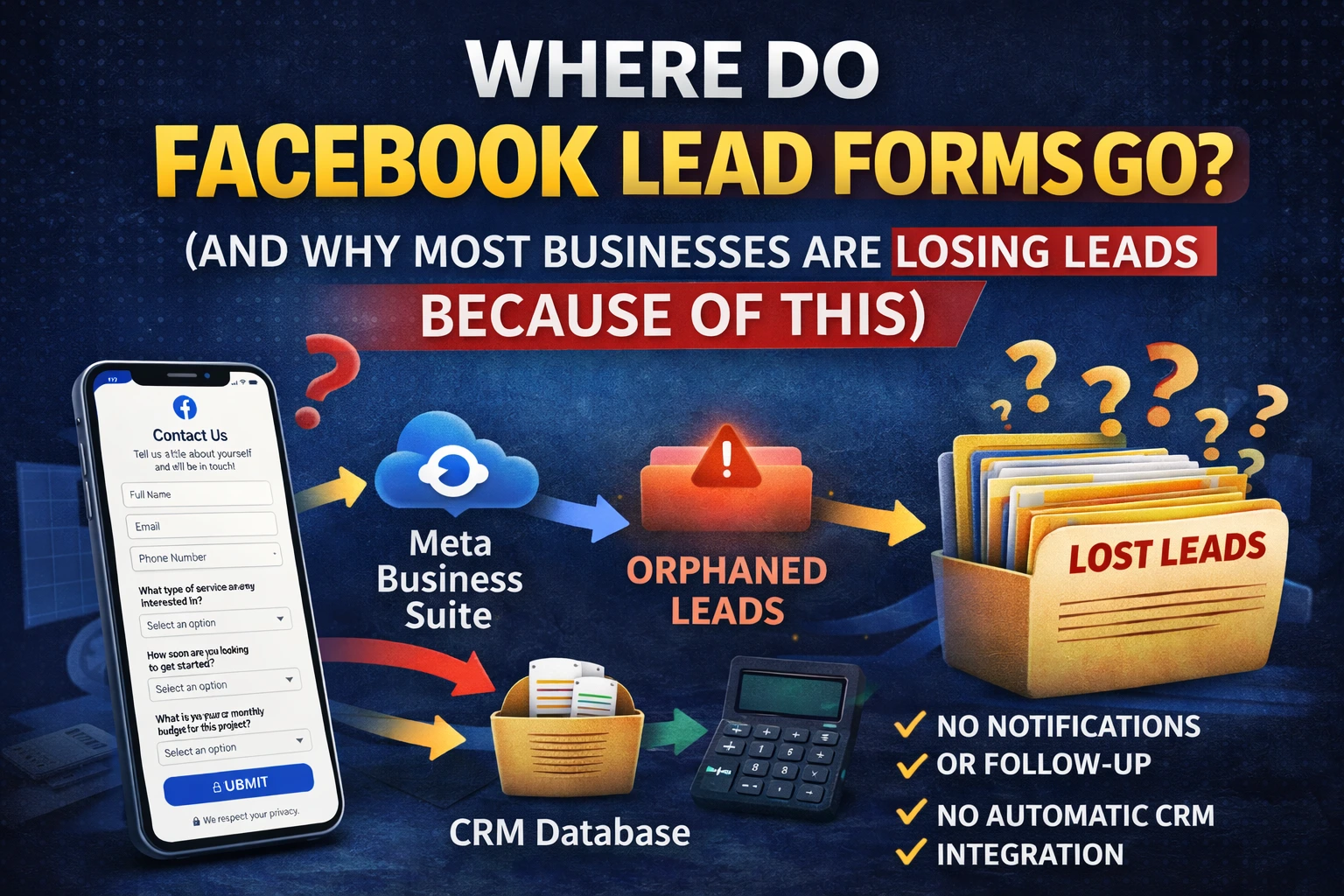
You ran the campaign. The ads looked great. Your cost per lead came in lower than expected. You're feeling good.
Then a week later, a prospect mentions they filled out your Facebook form — but nobody ever followed up with them.
Sound familiar?
This is one of the most common (and most expensive) problems we see with Facebook lead generation ads. The issue isn't the ads. It's what happens after someone fills out the form. Most businesses have no idea where their leads actually go — and by the time they figure it out, those leads have gone cold, moved on, or hired somebody else.
Let me break down exactly where Facebook lead form submissions go, how to access them, and — most importantly — how to make sure you never lose another lead because of a system breakdown.
Where Facebook Lead Form Submissions Actually Go
When someone fills out a Facebook Instant Lead Form (also called a Lead Ad form), their contact information is collected directly within Facebook and stored on Meta's platform — not automatically sent to your email inbox, your phone, or your CRM.
There are three main places you can access them:
1. Meta Business Suite (the most common access point)
Go to business.facebook.com, navigate to your page, click on "Leads Center" or look under the "Inbox" section. From here you can view form submissions, filter by ad campaign, and download leads as a CSV file. For a step-by-step walkthrough, see our full guide on how to view Facebook lead forms (without losing leads).
2. Meta Ads Manager → Instant Forms
Inside Ads Manager, go to your campaign and look for the "Leads" column in your reporting view. You can also navigate to your page's "Publishing Tools" → "Forms Library" to see all active forms and download leads directly.
3. Facebook Page → Forms Library
On your Facebook Business Page, under "More Tools" or "Publishing Tools," you'll find a Forms Library where every lead form associated with the page lives. You can preview forms, download leads, and manage existing forms from here.
The data Facebook collects includes whatever fields you set up — typically first name, last name, email address, phone number — all pre-filled from the user's Facebook profile, which is part of why these forms convert so well. If you haven't set up your forms yet, check out our guide on how to create Facebook lead forms that actually generate quality leads.
The Big Problem: Manual Retrieval Means Lost Revenue
Here's where most businesses get burned.
Facebook doesn't push your leads anywhere automatically. Unless you've set up an integration, you have to go log in to Meta Business Suite or Ads Manager, find your leads, and download a CSV. Every. Single. Time.
If you're checking that manually once a week — or once a month — you're not running a lead generation campaign. You're running a lead collection campaign and throwing most of them in the trash.
The research on speed-to-lead is unambiguous: responding within five minutes increases your chances of converting a lead by up to 100x compared to waiting 30 minutes. And yet we consistently see business owners pulling leads days after the fact, wondering why nobody wants to talk to them anymore.
People fill out a Facebook form in the moment — when they're curious, when they have a problem, when they're ready to act. Wait too long and that window closes. They've already called someone else. They forgot they even filled it out.
This isn't a Facebook problem. It's a follow-up infrastructure problem.
The Right Way to Handle Facebook Lead Forms: CRM Integration
The solution is straightforward: connect your Facebook lead forms directly to your CRM so every new lead flows in automatically — and triggers an immediate follow-up. We've written a full step-by-step breakdown on how to integrate your Facebook lead forms with your CRM — but here's the high-level overview.
Here are the most common ways to do that:
Zapier
Zapier is a no-code automation tool that connects Facebook Lead Ads to virtually any CRM — GoHighLevel, HubSpot, Salesforce, Zoho, you name it. You set up a "Zap" that fires every time a new lead comes in, automatically pushing the contact into your CRM, tagging them, and triggering a nurture sequence or task for your sales team. This is usually the fastest way to get set up and works well for most small to mid-sized businesses.
LeadsBridge
LeadsBridge is a platform built specifically for advertising integrations. It connects Meta lead forms to CRMs, email platforms, and phone dialers with more sophistication than Zapier — particularly useful if you're running high-volume campaigns or need custom field mapping.
Native CRM Integrations
Many CRMs now offer direct, native integrations with Meta. GoHighLevel, for example, has a built-in Facebook lead form connector. If you're already using a modern CRM, check whether a direct integration exists before paying for a third-party connector. We use GoHighLevel for all of our clients — see how we set it up in our guide to automating lead follow-up with GoHighLevel.
What We Do for Clients at Adovate
For every client we run lead gen campaigns for, CRM integration is non-negotiable. We don't launch a Facebook lead ad campaign without first confirming that: (1) leads are flowing into a CRM in real time, (2) an automated text or email response goes out within five minutes of form submission, and (3) a task or notification is created for whoever is handling follow-up.
We've seen this single change — just getting the pipeline infrastructure right — double and triple close rates for clients who were previously pulling leads manually.
Quick Checklist: Is Your Lead Form Setup Actually Working?
Before your next campaign goes live, run through this:
- Leads flow to CRM automatically — no manual CSV downloads needed
- Automated first response goes out within 5 minutes (text and/or email)
- Lead is tagged and assigned in your CRM the moment they submit
- Someone on your team gets notified so they can follow up personally
- You've tested the entire flow by submitting the form yourself as a test lead
If you can't check every box, you have a gap in your pipeline — and that gap is costing you money.
Don't Let Good Leads Die in Facebook's Backend
Running Facebook lead gen ads without a proper follow-up system is like installing a new front door on your business and then never answering it when people knock.
The lead form is just the beginning. What happens in the 5 minutes after someone fills it out determines whether that lead becomes a customer or a missed opportunity.
If you're spending money on Facebook ads but not seeing the results, the problem usually isn't the targeting or the creative. It's what's happening (or not happening) after the click.
At Adovate Agency, we don't just run ads — we build the full system that turns ad spend into actual revenue. If you want to make sure your Facebook lead forms are connected, automated, and converting the way they should be, book a free strategy call.
Related reading: Need to update the questions on your lead form? Facebook doesn't let you edit active forms directly. Here's the right way to do it: Facebook Lead Forms Don't Suck — You Just Don't Know How to Edit Them.
Adam Fishkin
April 9, 2026
Other blogs
What's happening
Our latest news and trending topics


